> ## Documentation Index
> Fetch the complete documentation index at: https://notes.linserin.work/llms.txt
> Use this file to discover all available pages before exploring further.
# 混排空格 - 构建美观的现代文字
本文档由我自己随意发挥想象而成。
为了营造一个更美观的数字世界,笔者希望通过此文档简单介绍:**混排空格**。
开始之前,请各位读者观察身边的出版物,正版书籍,甚至是一张高考试卷。
它们都使用了**混排空格**。
# 什么是混排空格?
简单讲,就是在如汉字和英文等方块字(汉字)和线性排列(英语)的这些排列特点不同的语言之间加入空格来是视觉效果更加舒畅。
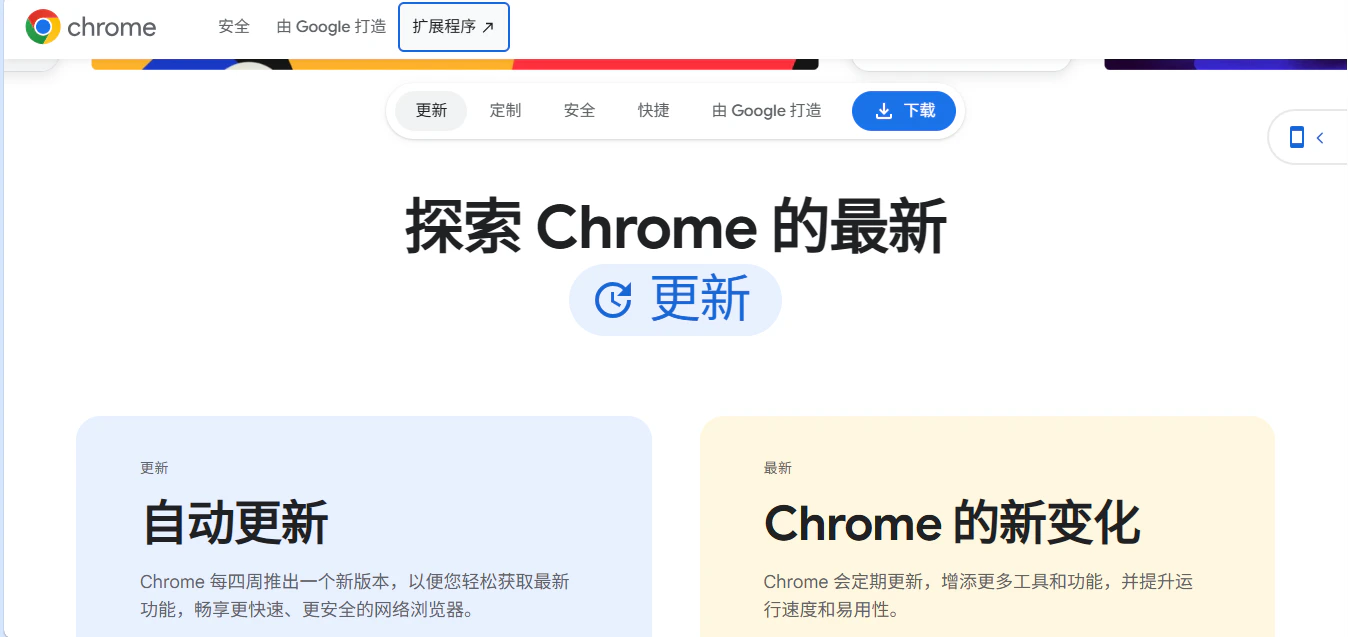
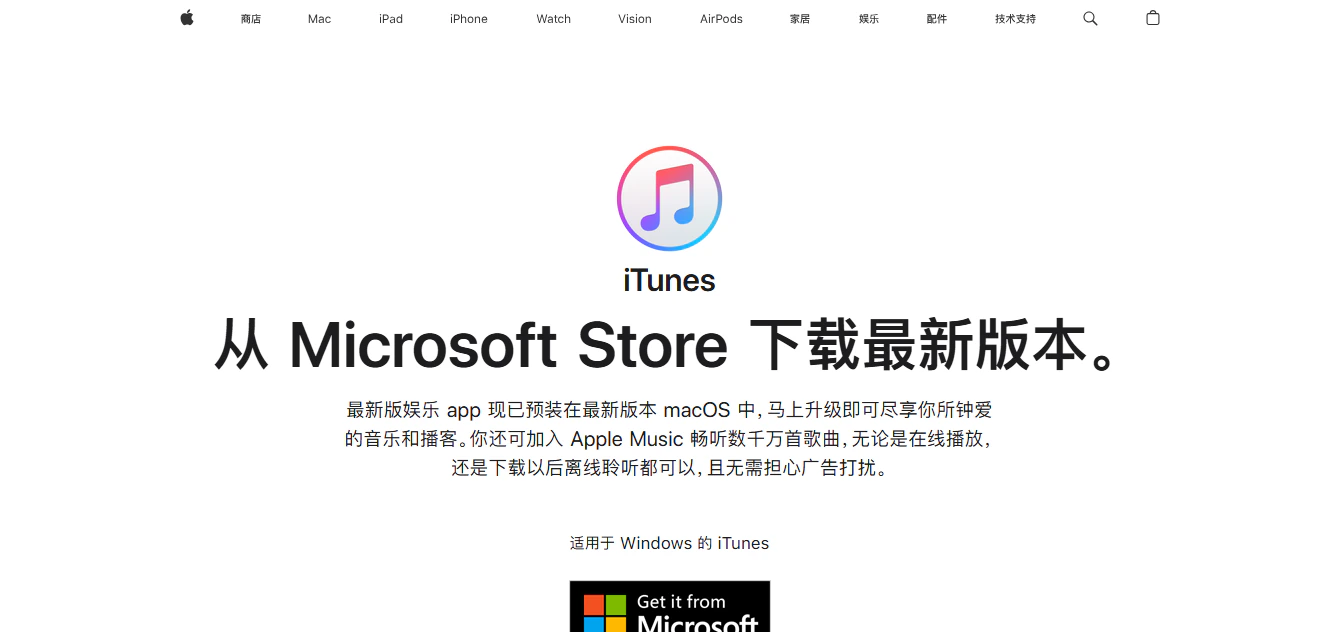 > Apple 中国网站上的 iTunes 页面,Google 中国的 Chrome 下载页面也使用了混排空格。
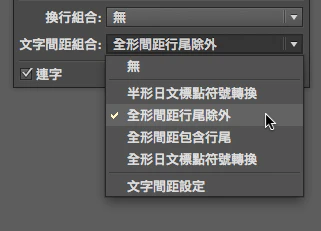 > 在 Microsoft Word 中,「自动调整中文英文字符的间距」功能是预设开启的状态
# 为什么要使用它?
汉字是方块字,每个字符占据等宽的空间。而英文与数字属于线性排版系统。 当两种不同节奏的文字直接相邻时,会产生视觉拥挤或断裂感。
例如:
```text theme={null}
未使用:今天发布iPhone15更新。
使用后:今天发布 iPhone 15 更新。
```
是否看起来有所变化?
# 进阶
混排空格还有针对单位的描述。
以下内容来自:[中文技术文档写作风格指南](https://zh-style-guide.readthedocs.io/zh-cn/latest/%E6%96%87%E6%A1%A3%E5%86%85%E5%AE%B9%E5%85%83%E7%B4%A0/%E5%8D%95%E4%BD%8D%E7%AC%A6%E5%8F%B7.html)
> 大多数情况下,数值与单位符号之间需要空一个半角空格,如 7 kg、8 MB、10 GB。但有几种例外:
>
> * 单位是角度、摄氏度或百分号时,数值和单位之间不空格。如:60°、37°C、100% 等。
>
> 单位是英尺符号和英寸符号时,数值和单位之间不空格。如:4′5″ 表示 4 英尺 5 英寸。注意,英尺符号为 ′ ([U+2032 Prime](https://www.compart.com/en/unicode/U+2032)),英寸符号为 ″ ([U+2033 Double Prime](https://www.compart.com/en/unicode/U+2033))。
了解更多:[Requirements for Chinese Text Layout - 中文排版需求 - W3C](https://www.w3.org/TR/clreq/)
# 其他
有一部分人认为,现代字体渲染引擎(如 [Core Text](https://developer.apple.com/documentation/coretext) 和 [DirectWrite](https://learn.microsoft.com/zh-cn/windows/win32/directwrite/introducing-directwrite))已经能非常好地处理汉字与西文之间的间距,已经无需手动添加空格。
> 在 Microsoft Word 中,「自动调整中文英文字符的间距」功能是预设开启的状态
# 为什么要使用它?
汉字是方块字,每个字符占据等宽的空间。而英文与数字属于线性排版系统。 当两种不同节奏的文字直接相邻时,会产生视觉拥挤或断裂感。
例如:
```text theme={null}
未使用:今天发布iPhone15更新。
使用后:今天发布 iPhone 15 更新。
```
是否看起来有所变化?
# 进阶
混排空格还有针对单位的描述。
以下内容来自:[中文技术文档写作风格指南](https://zh-style-guide.readthedocs.io/zh-cn/latest/%E6%96%87%E6%A1%A3%E5%86%85%E5%AE%B9%E5%85%83%E7%B4%A0/%E5%8D%95%E4%BD%8D%E7%AC%A6%E5%8F%B7.html)
> 大多数情况下,数值与单位符号之间需要空一个半角空格,如 7 kg、8 MB、10 GB。但有几种例外:
>
> * 单位是角度、摄氏度或百分号时,数值和单位之间不空格。如:60°、37°C、100% 等。
>
> 单位是英尺符号和英寸符号时,数值和单位之间不空格。如:4′5″ 表示 4 英尺 5 英寸。注意,英尺符号为 ′ ([U+2032 Prime](https://www.compart.com/en/unicode/U+2032)),英寸符号为 ″ ([U+2033 Double Prime](https://www.compart.com/en/unicode/U+2033))。
了解更多:[Requirements for Chinese Text Layout - 中文排版需求 - W3C](https://www.w3.org/TR/clreq/)
# 其他
有一部分人认为,现代字体渲染引擎(如 [Core Text](https://developer.apple.com/documentation/coretext) 和 [DirectWrite](https://learn.microsoft.com/zh-cn/windows/win32/directwrite/introducing-directwrite))已经能非常好地处理汉字与西文之间的间距,已经无需手动添加空格。